

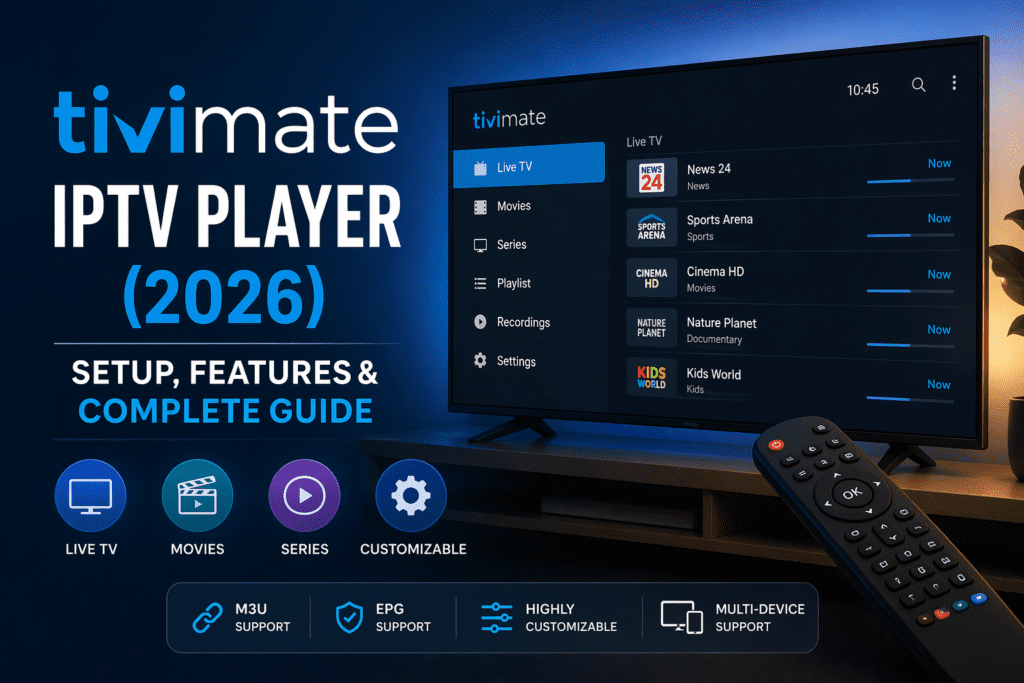
If you’re using IPTV and want a smooth, premium viewing experience, you’ve probably heard about TiviMate IPTV Player. It’s widely considered one of the best IPTV apps available today — especially for Android TV and Firestick users.
But what makes TiviMate stand out? And how do you set it up properly?
In this complete guide, we’ll cover everything you need to know about TiviMate IPTV Player, including features, setup instructions, pricing, and expert tips to maximize performance in 2026.
What is TiviMate IPTV Player?
TiviMate IPTV Player is an advanced IPTV application designed to organize and stream IPTV content using M3U playlists or Xtream Codes.
Unlike basic IPTV apps, TiviMate offers a premium TV-like experience with a modern interface, fast navigation, and powerful customization options.
 Key Highlights:
- Clean and professional interface
- Supports M3U playlists & Xtream Codes
- Electronic Program Guide (EPG) support
- Multi-playlist management
- Advanced playback controls
 Important: TiviMate does NOT provide content — you need an IPTV subscription.
Why TiviMate is So Popular in 2026
TiviMate has gained massive popularity because it offers a user experience similar to traditional cable TV — but with more flexibility.
Unlike many IPTV apps that feel clunky or outdated, TiviMate is designed with performance and usability in mind.
 Reasons users love TiviMate:
- Smooth and fast interface
- Minimal buffering (when paired with a good provider)
- Customizable channel lists
- Advanced EPG support
- Reliable performance on Firestick and Android TV
For many IPTV users, switching to TiviMate is a game changer.
TiviMate Features Explained
TiviMate stands out because of its powerful feature set.
 1. Modern TV Interface
The app looks and feels like a traditional TV guide, making it easy to navigate channels.
2. Multiple Playlist Support
You can add multiple IPTV subscriptions and manage them in one place.
3. EPG Integration
View schedules, upcoming programs, and detailed channel information.
4. Catch-Up & Recording (Premium)
Some versions allow recording and catch-up features.
5. Customization Options
- Reorder channels
- Create favorites
- Adjust interface settings
TiviMate Free vs Premium – What’s the Difference?
TiviMate offers both a free version and a premium version.
 Free Version:
- Basic IPTV playback
- Limited features
- Single playlist
 Premium Version:
- Multiple playlists
- Recording options
- Advanced EPG
- Customization features
- Better overall experience
Recommendation: Upgrade to Premium for the best experience.
How to Install TiviMate IPTV Player (Step-by-Step)
Installing TiviMate is simple, especially on Android-based devices.
 On Android TV / Google TV:
- Open Google Play Store
- Search for “TiviMate IPTV Player”
- Install the app
- Open and start setup
On Firestick:
- Enable “Apps from Unknown Sources”
- Install Downloader app
- Enter TiviMate APK URL
- Download and install
- Launch the app
How to Set Up TiviMate IPTV Player
Once installed, setting up TiviMate takes just a few minutes.
 Setup Process:
- Open TiviMate
- Click “Add Playlist”
- Choose:
- M3U URL
or - Xtream Codes login
- M3U URL
- Enter your IPTV details
- Load channels and EPG
After setup, you’ll have full access to your IPTV content.
Best Settings for TiviMate (Optimization Tips)
To get the best performance from TiviMate, tweak these settings:
- Enable hardware decoding
- Adjust buffer size
- Customize EPG update frequency
- Organize favorite channels
- Disable unused playlists
These small adjustments can significantly improve your experience.
Common Issues and Fixes
Even though TiviMate is reliable, users may encounter some issues.
 Buffering
→ Usually caused by your IPTV provider or internet speed
EPG Not Loading
→ Refresh EPG or check provider settings
App Crashes
→ Clear cache or reinstall the app
Login Issues
→ Double-check Xtream Codes or M3U URL
Best Devices for TiviMate IPTV Player
TiviMate works best on Android-based devices.
Recommended Devices:
- Amazon Firestick / Fire TV
- Android TV Boxes
- NVIDIA Shield TV
- Google TV devices
Avoid using TiviMate on unsupported platforms for best results.
Is TiviMate IPTV Player Legal?
Yes, TiviMate itself is legal.
However, the legality depends on the IPTV service you use with it. Always ensure your provider has proper licensing.
FAQ – TiviMate IPTV Player
 Is TiviMate free?
Yes, but the premium version unlocks full features.
Does TiviMate provide channels?
No, you need an IPTV subscription.
Is TiviMate better than IPTV Smarters?
Many users prefer TiviMate for its interface and performance.
Can I use TiviMate on multiple devices?
Yes, with a premium subscription.
Conclusion – Is TiviMate IPTV Player Worth It?
TiviMate IPTV Player is one of the best IPTV apps available in 2026. Its clean interface, powerful features, and smooth performance make it a top choice for both beginners and advanced users.
If you’re serious about IPTV and want a premium viewing experience, TiviMate is definitely worth using — especially with the premium upgrade.