tivimate iptv player​

TiviMate IPTV Player (2026) – Setup, Features & Complete Guide

If you’re using IPTV and want a smooth, premium viewing experience, you’ve probably heard about TiviMate IPTV Player. It’s widely considered one of the best IPTV apps available today — especially for Android TV and Firestick users. But what makes TiviMate stand out? And how do you set it up properly? In this complete guide, we’ll cover everything you need to know about TiviMate IPTV Player, including features, setup instructions, pricing, and expert tips to maximize performance in 2026. What is TiviMate IPTV Player? TiviMate IPTV Player is an advanced IPTV application designed to organize and stream IPTV content using M3U playlists or Xtream Codes. Unlike basic IPTV apps, TiviMate offers a premium TV-like experience with a modern interface, fast navigation, and powerful customization options. Key Highlights: Clean and professional interface Supports M3U playlists & Xtream Codes Electronic Program Guide (EPG) support Multi-playlist management Advanced playback controls Important: TiviMate does NOT provide content — you need an IPTV subscription. Why TiviMate is So Popular in 2026 TiviMate has gained massive popularity because it offers a user experience similar to traditional cable TV — but with more flexibility. Unlike many IPTV apps that feel clunky or outdated, TiviMate is designed with performance and usability in mind. Reasons users love TiviMate: Smooth and fast interface Minimal buffering (when paired with a good provider) Customizable channel lists Advanced EPG support Reliable performance on Firestick and Android TV For many IPTV users, switching to TiviMate is a game changer. TiviMate Features Explained TiviMate stands out because of its powerful feature set. 1. Modern TV Interface The app looks and feels like a traditional TV guide, making it easy to navigate channels. 2. Multiple Playlist Support You can add multiple IPTV subscriptions and manage them in one place. 3. EPG Integration View schedules, upcoming programs, and detailed channel information. 4. Catch-Up & Recording (Premium) Some versions allow recording and catch-up features. 5. Customization Options Reorder channels Create favorites Adjust interface settings TiviMate Free vs Premium – What’s the Difference? TiviMate offers both a free version and a premium version. Free Version: Basic IPTV playback Limited features Single playlist Premium Version: Multiple playlists Recording options Advanced EPG Customization features Better overall experience Recommendation: Upgrade to Premium for the best experience. How to Install TiviMate IPTV Player (Step-by-Step) Installing TiviMate is simple, especially on Android-based devices. On Android TV / Google TV: Open Google Play Store Search for “TiviMate IPTV Player” Install the app Open and start setup On Firestick: Enable “Apps from Unknown Sources” Install Downloader app Enter TiviMate APK URL Download and install Launch the app How to Set Up TiviMate IPTV Player Once installed, setting up TiviMate takes just a few minutes. Setup Process: Open TiviMate Click “Add Playlist” Choose: M3U URLor Xtream Codes login Enter your IPTV details Load channels and EPG After setup, you’ll have full access to your IPTV content. Best Settings for TiviMate (Optimization Tips) To get the best performance from TiviMate, tweak these settings: Enable hardware decoding Adjust buffer size Customize EPG update frequency Organize favorite channels Disable unused playlists These small adjustments can significantly improve your experience. Common Issues and Fixes Even though TiviMate is reliable, users may encounter some issues. Buffering → Usually caused by your IPTV provider or internet speed EPG Not Loading → Refresh EPG or check provider settings App Crashes → Clear cache or reinstall the app Login Issues → Double-check Xtream Codes or M3U URL Best Devices for TiviMate IPTV Player TiviMate works best on Android-based devices. Recommended Devices: Amazon Firestick / Fire TV Android TV Boxes NVIDIA Shield TV Google TV devices Avoid using TiviMate on unsupported platforms for best results. Is TiviMate IPTV Player Legal? Yes, TiviMate itself is legal. However, the legality depends on the IPTV service you use with it. Always ensure your provider has proper licensing. FAQ – TiviMate IPTV Player Is TiviMate free? Yes, but the premium version unlocks full features. Does TiviMate provide channels? No, you need an IPTV subscription. Is TiviMate better than IPTV Smarters? Many users prefer TiviMate for its interface and performance. Can I use TiviMate on multiple devices? Yes, with a premium subscription. Conclusion – Is TiviMate IPTV Player Worth It? TiviMate IPTV Player is one of the best IPTV apps available in 2026. Its clean interface, powerful features, and smooth performance make it a top choice for both beginners and advanced users. If you’re serious about IPTV and want a premium viewing experience, TiviMate is definitely worth using — especially with the premium upgrade.

TiviMate IPTV Player (2026) – Setup, Features & Complete Guide Read More »

iptv brampton ontario​

IPTV Brampton Ontario (2026) – Best IPTV Services & Plans Near You

IPTV Brampton Ontario – Best IPTV Services & Plans (2026 Guide) If you’re living in Brampton, Ontario and tired of expensive cable TV bills, you’re not alone. Many residents are switching to IPTV as a more affordable and flexible way to enjoy live TV, sports, and on-demand content. With IPTV, you can access thousands of channels from Canada, the US, and around the world — all through your internet connection. In this guide, we’ll explore everything you need to know about IPTV Brampton Ontario, including pricing, features, providers, and tips to choose the best service in 2026. What is IPTV and Why is it Popular in Brampton IPTV (Internet Protocol Television) allows you to stream TV channels and content over the internet instead of traditional cable or satellite. In a growing city like Brampton, where households are looking for cost-effective entertainment, IPTV has become a popular alternative. Why IPTV is growing in Brampton: Lower monthly costs compared to cable Access to multicultural and international channels Strong internet infrastructure in Ontario Flexible plans with no contracts Availability of HD and 4K streaming With a diverse population, IPTV is especially appealing because it offers content in multiple languages. Benefits of Using IPTV Brampton Ontario Switching to IPTV comes with several advantages for local users. Key Benefits: Affordable plans starting from $10/month Access to Canadian channels (CBC, TSN, Sportsnet) International channels (Indian, Arabic, European, etc.) Sports coverage (NHL, NBA, UFC, PPV) Large VOD libraries (movies and TV shows) For families in Brampton, IPTV offers both variety and savings. Best IPTV Services in Brampton Ontario (2026) Here are some popular IPTV services used by residents in Brampton: Premium IPTV Canada 10,000+ channels Excellent sports coverage Stable servers in North America Affordable pricing OntarioStream IPTV Focus on Canadian and local content Minimal buffering Easy setup Reliable performance Ultra IPTV Service Large VOD library Great for families Multi-device support Budget-friendly plans Xtreme HD IPTV Well-known global provider High uptime Strong customer support Ideal for long-term use Iptvcanadasub Reliable Fair tariffs  Well known Hot gum servers   Tip: Always request a trial before choosing an IPTV provider. IPTV Pricing in Brampton Ontario One of the biggest reasons people switch to IPTV is cost savings. Average IPTV Prices: Monthly: $10 – $20 Quarterly: $25 – $50 Yearly: $60 – $120 Compared to cable TV packages that can exceed $80/month, IPTV offers massive savings. What to Look for in an IPTV Provider in Brampton Not all IPTV providers deliver the same quality. Here’s what you should check: 1. Channel Selection Make sure it includes: Canadian local channels US channels International content 2. Streaming Quality HD and 4K support Fast loading channels Minimal buffering 3. Server Stability Local or North American servers perform better in Ontario. 4. Device Compatibility Compatible with: Amazon Firestick Android TV Smart TVs Mobile devices 5. Customer Support Fast and reliable support is essential for troubleshooting. Best Devices for IPTV in Brampton To get the best streaming experience, use a reliable device: Amazon Firestick (most popular) Android TV Box Smart TVs (Samsung, LG) Smartphones and tablets A good device ensures smooth playback and better performance. Internet Requirements for IPTV in Brampton Since IPTV relies on internet streaming, your connection matters. Recommended Speeds: SD streaming: 10 Mbps HD streaming: 15–25 Mbps 4K streaming: 25+ Mbps Brampton has strong internet coverage, making IPTV a viable option for most households. Is IPTV Legal in Brampton Ontario? IPTV itself is legal in Canada. However, legality depends on whether the provider has proper licensing for the content they distribute. Some services operate in gray areas, so it’s important to research your provider before subscribing. Tips for the Best IPTV Experience To maximize your IPTV performance: Use a high-speed internet connection Prefer Ethernet over Wi-Fi Use a VPN for privacy and stability Keep apps updated Choose a reliable IPTV provider FAQ – IPTV Brampton Ontario What is the best IPTV service in Brampton? The best service depends on your needs, but look for stability, channel selection, and support. How much does IPTV cost in Brampton? Most IPTV services cost between $10 and $20 per month. Can I watch local channels? Yes, most IPTV providers include Canadian local channels. Do I need a VPN for IPTV? A VPN is recommended for better privacy and performance. Conclusion – Is IPTV Worth It in Brampton Ontario? IPTV is quickly becoming the preferred alternative to cable TV in Brampton. With lower costs, more content, and flexible plans, it’s an excellent option for modern households. As long as you choose a reliable provider and test the service beforehand, IPTV can completely transform your entertainment experience.

IPTV Brampton Ontario (2026) – Best IPTV Services & Plans Near You Read More »

iptv canada free trial

IPTV Canada Free Trial – Test Before You Buy (2026 Guide)

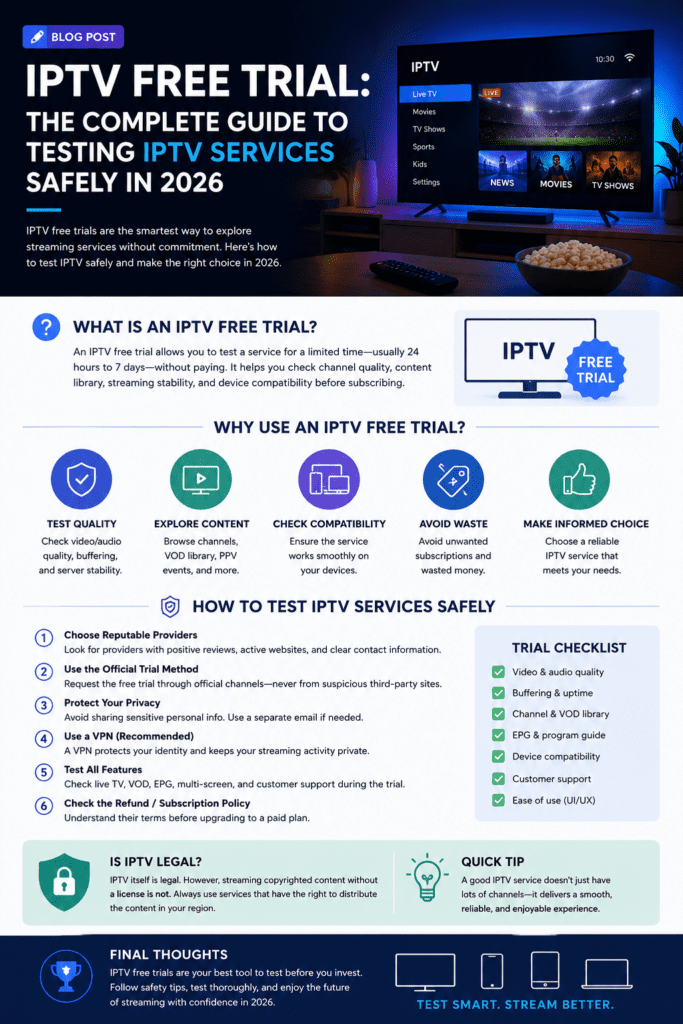
IPTV Canada Free Trial (2026) – Test IPTV Before You Buy As IPTV continues to grow in popularity across Canada, more users are looking for ways to test services before committing to a subscription. With so many providers available, choosing the right one can be challenging. That’s where an IPTV Canada free trial becomes essential. Instead of risking your money on an unknown provider, a free trial allows you to explore channel quality, performance, and features firsthand. In this guide, you’ll learn how IPTV free trials work, which providers offer them, and how to choose the best service in 2026. What is an IPTV Canada Free Trial? An IPTV free trial is a limited-time access offered by providers so users can test their service before purchasing a subscription. Typically, these trials last: 24 hours 48 hours Up to 72 hours During this period, you get access to most (or all) features, including live TV, sports, and VOD content. This allows you to evaluate whether the service meets your expectations. Why You Should Always Test IPTV Before Buying Not all IPTV providers are created equal. Some offer excellent quality and reliability, while others may suffer from buffering, downtime, or poor channel organization. Testing a service before buying helps you avoid disappointment. Benefits of IPTV Free Trials: No financial risk Test streaming quality in real-time Check server stability during peak hours Evaluate channel selection Experience the user interface A free trial is the smartest way to choose the right IPTV provider. Best IPTV Canada Free Trial Providers (2026) Here are some popular IPTV services offering free trials for Canadian users: 1. Premium IPTV Trial 24-hour free trial 10,000+ channels HD & 4K quality Excellent for sports streaming 2.CanadaStream IPTV Focus on Canadian channels Fast servers in North America Smooth playback with minimal buffering Easy setup 3. Ultra IPTV Free Test Beginner-friendly Large VOD library Stable performance Flexible trial access 4. Xtreme HD IPTV Trial Trusted provider High uptime Great for live sports and PPV Responsive customer support Tip: Always request a trial before purchasing any IPTV subscription. What to Check During Your IPTV Free Trial To make the most out of your IPTV trial, you need to test the right things. 1. Streaming Quality Check if channels load quickly and play in HD or 4K without lag. 2. Buffering Issues Watch content during peak hours (evenings) to see if the service remains stable. 3. Channel Organization Good IPTV services have well-organized categories and a functional EPG (TV guide). 4. VOD Library Browse movies and TV shows to see how frequently content is updated. 5. Device Compatibility Test the service on your preferred device (Firestick, Smart TV, Android, etc.). Free IPTV vs Paid IPTV – Key Differences Many users wonder if free IPTV services are enough. Here’s the reality: Free IPTV Services: Often unreliable Lower streaming quality Limited channels Frequent downtime Paid IPTV Services: Stable servers HD & 4K streams Full channel access Better support A free trial of a paid service is far better than using completely free IPTV apps. Common Issues During IPTV Trials While testing IPTV, you may encounter some issues. Buffering is the most common problem, often caused by server overload or weak internet. Some providers may also limit features during the trial period. Activation delays can happen, especially with high-demand providers. These issues help you identify whether the provider is worth your money. Tips to Get the Best IPTV Trial Experience To properly evaluate an IPTV service, follow these tips: Test multiple channels (sports, movies, local TV) Use a stable internet connection (15–25 Mbps minimum) Try the service at different times of the day Compare multiple providers side by side Use a VPN for better stability (optional) Is IPTV Free Trial Legal in Canada? Yes, IPTV free trials are legal as long as the provider operates within proper licensing agreements. However, some IPTV services may operate in gray areas depending on content distribution rights. Always research providers before subscribing. Best Devices for IPTV in Canada To get the best experience during your trial, use a reliable device: Amazon Firestick Android TV Box Smart TVs (Samsung, LG) Smartphones & tablets The device you use can significantly impact streaming quality. FAQ – IPTV Canada Free Trial How long does an IPTV free trial last? Most trials last between 24 and 72 hours. Are IPTV trials really free? Many providers offer free trials, while some charge a small fee. What should I test during the trial? Streaming quality, buffering, channel availability, and app performance. Can I test multiple IPTV services? Yes, and it’s highly recommended. Conclusion – Test Before You Buy IPTV in Canada An IPTV free trial is the best way to ensure you’re choosing the right service. Instead of relying on promises or reviews, you can test the quality yourself and make an informed decision. With the growing number of IPTV providers in Canada, taking advantage of free trials is the smartest strategy to find a reliable and affordable service in 2026.

IPTV Canada Free Trial – Test Before You Buy (2026 Guide) Read More »